
Treatment package software for salons and studios
Glamorph lets salons and beauty studios sell prepaid treatment packages, track remaining visits and apply eligible sessions at checkout. Packages stay connected to client records, appointments and payments on iPhone, Android and web.
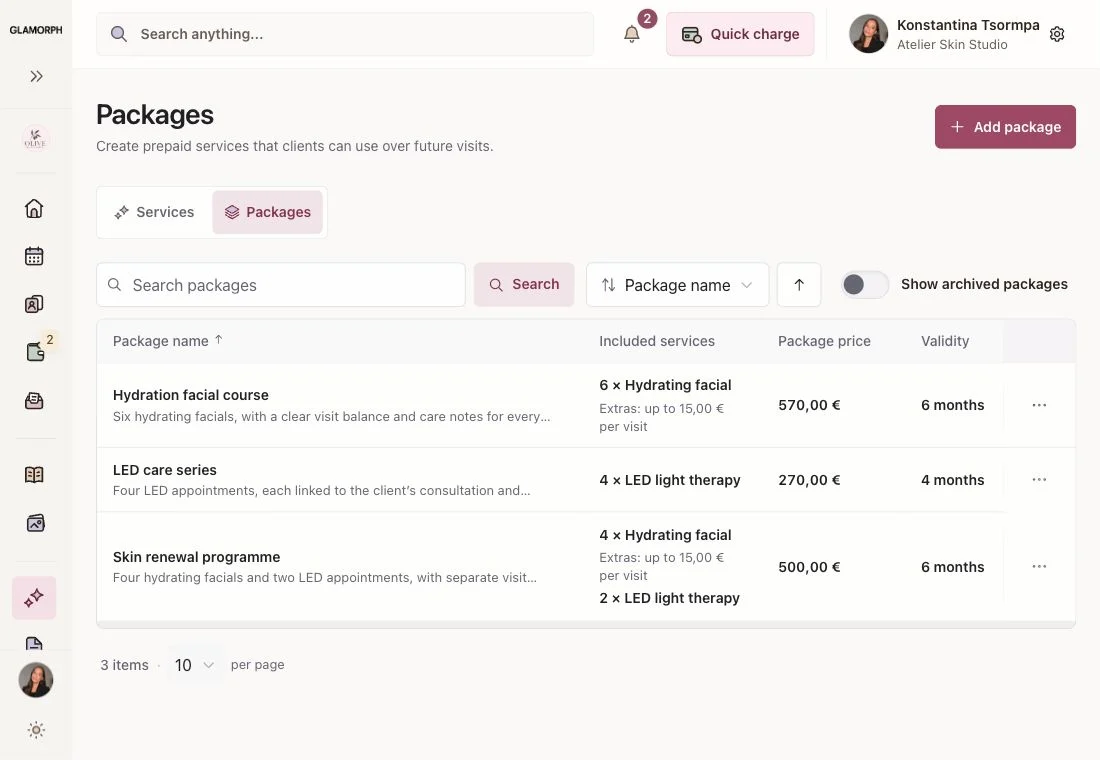
Create prepaid packages with one or more services
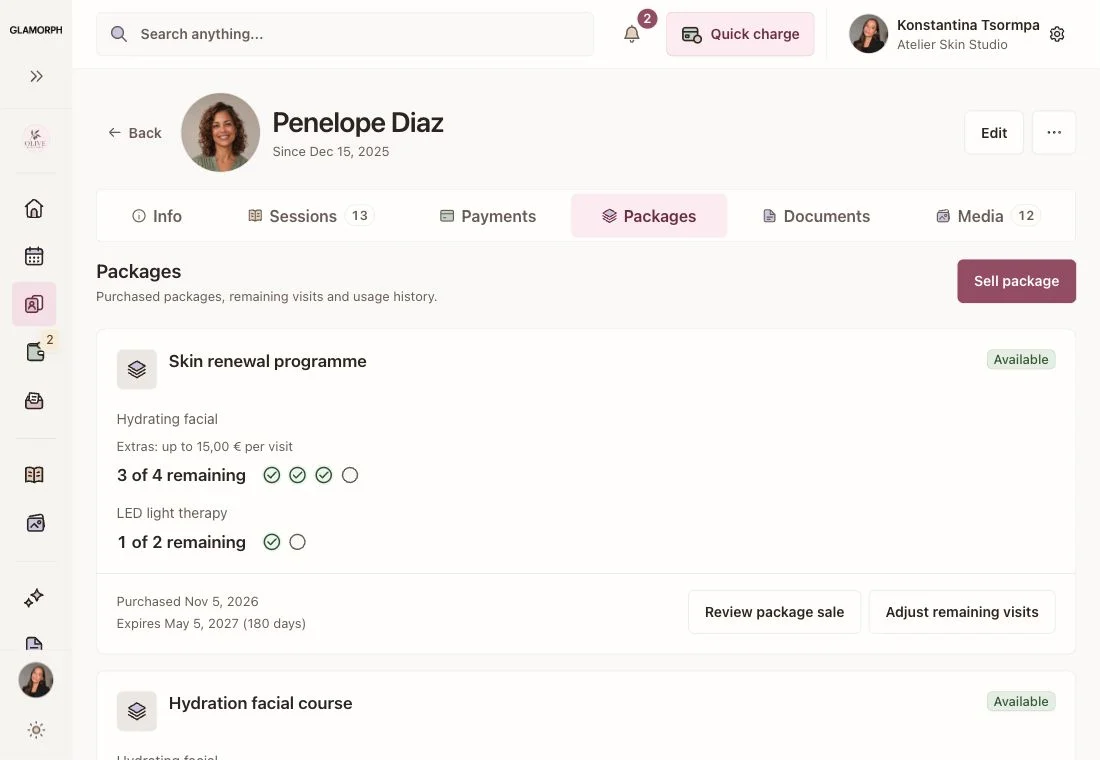
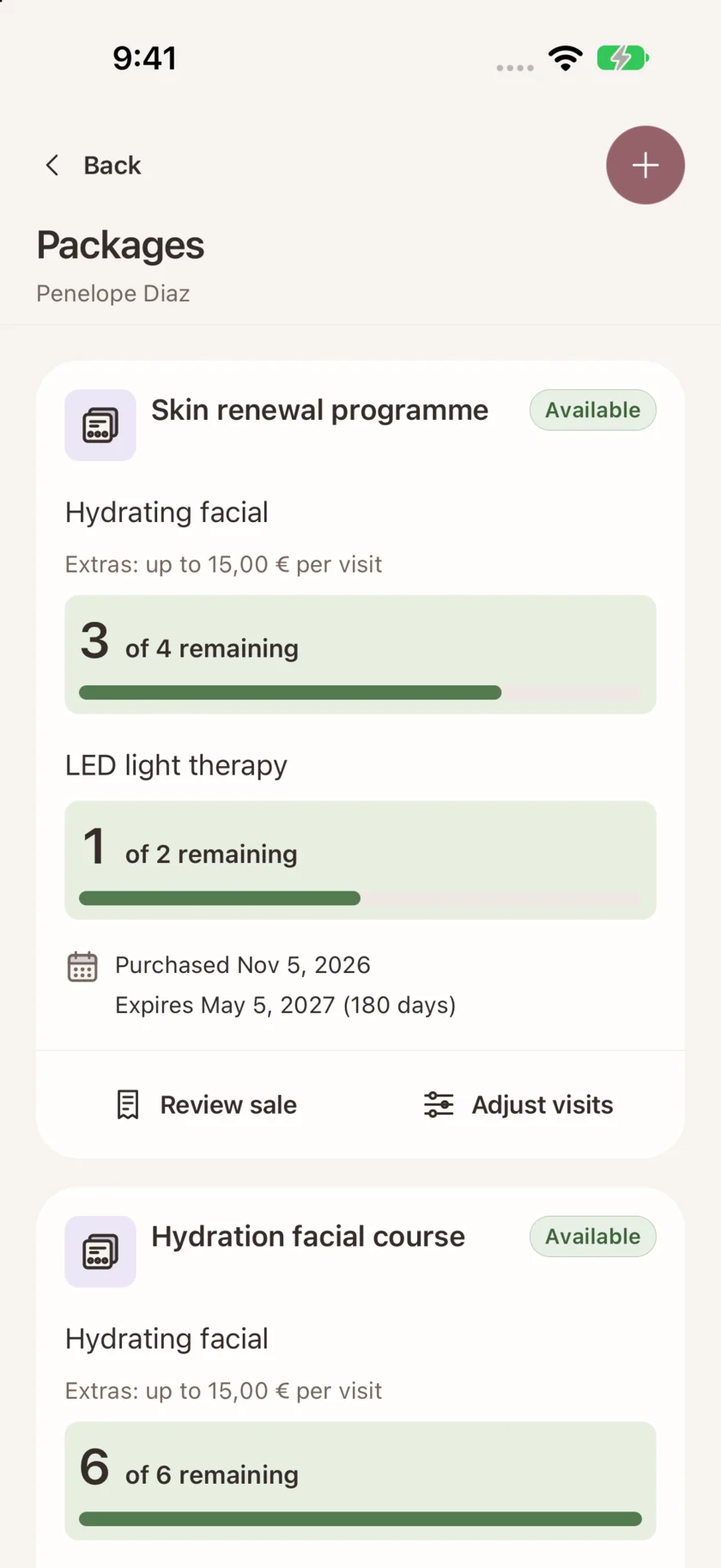
Track remaining visits and package expiry
Redeem packages at checkout and review extras

Create prepaid packages with one or more services
Choose one or more services, visit quantities, a package price and an optional expiry. For example, combine four facials and two LED appointments with separate balances. Include an allowance for extras when useful. Sell from the client record or appointment bill, reviewing the terms before payment.
Track remaining visits and package expiry
Open the client's active packages to see remaining visits, expiry and activity. Purchased terms stay with that sale, so changing your future offers does not rewrite an existing client's package.
Redeem packages at checkout and review extras
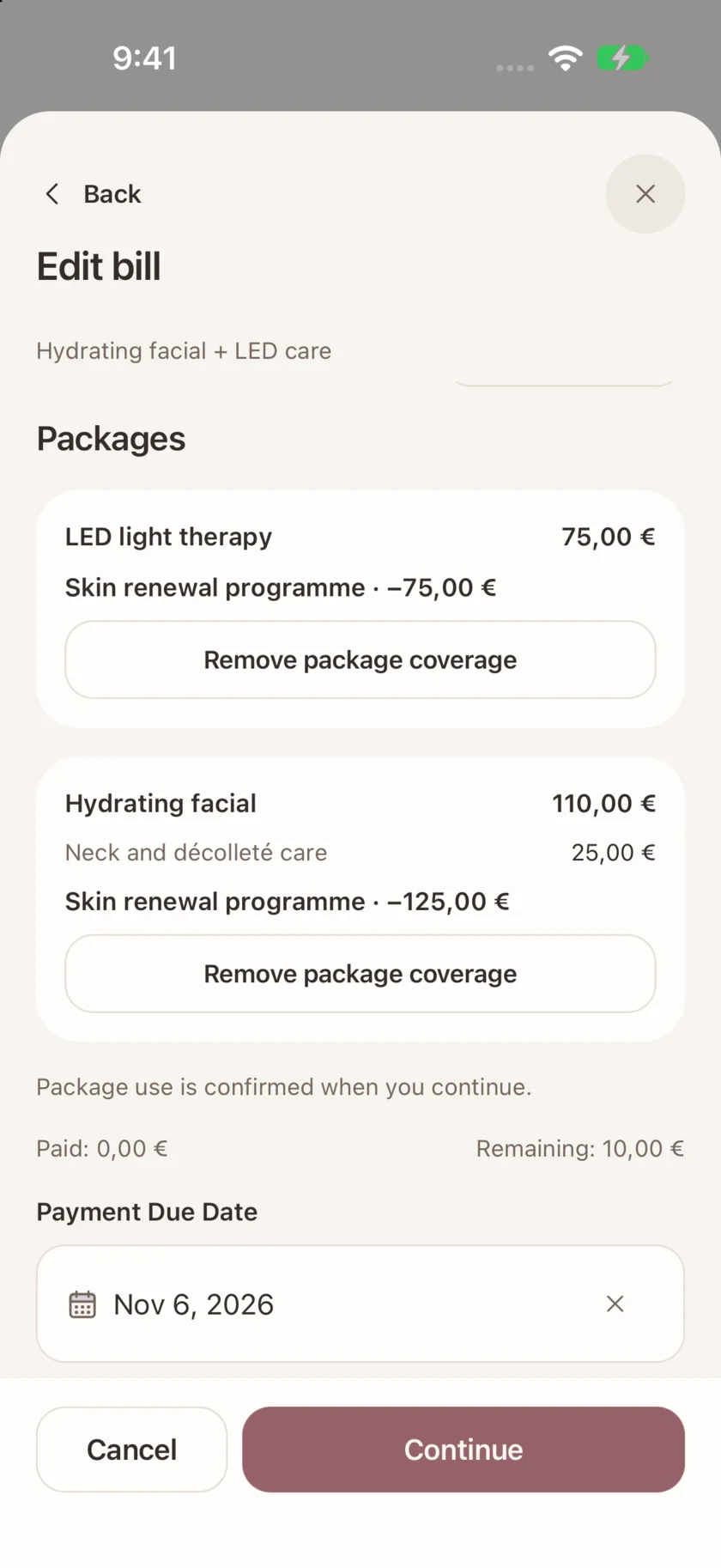
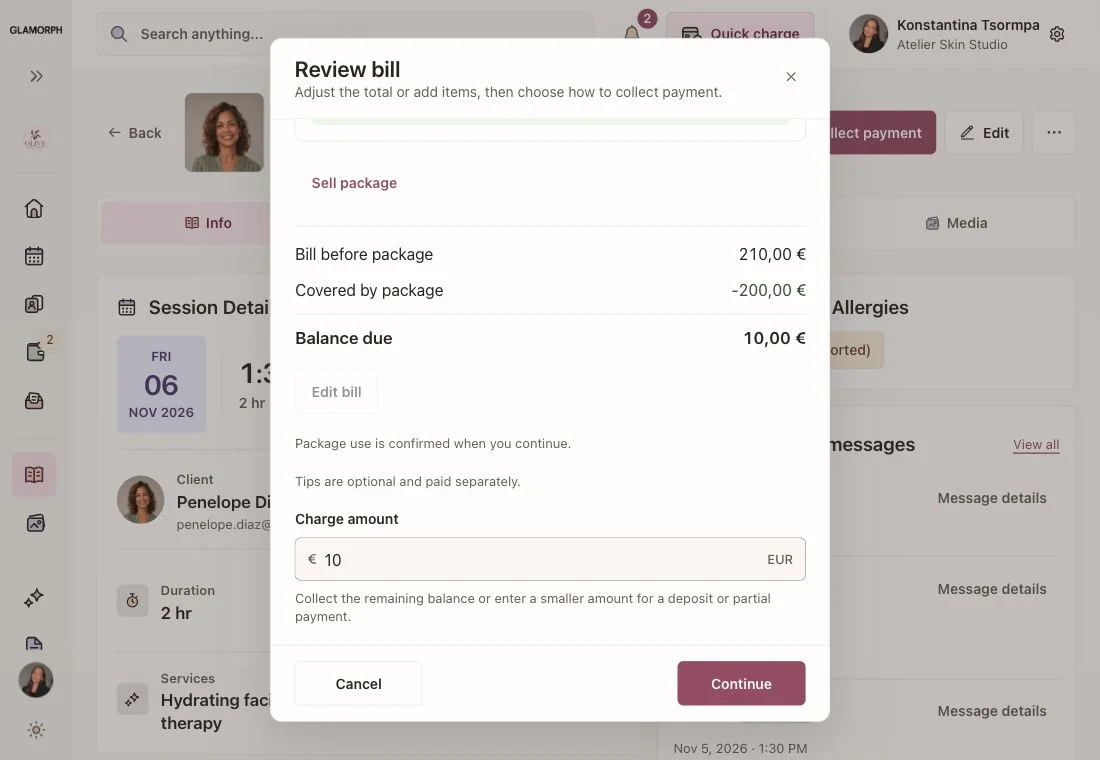
Checkout checks eligible packages against the saved services. Select the visits to use and confirm. Included extras follow the purchased allowance, with only the uncovered amount left to pay. A fully covered visit does not create a second cash payment.

Connect treatment packages with client records
Prepare the next appointment from the client's notes, reported sensitivities, signed PDFs and dated service photos. Your team works through separate logins and permissions, with package activity available to authorised staff.
English interface with example data
Starting from €11.99 per month
One active appointment calendar with working hours, buffers, breaks and time off


Frequently asked questions
Can I offer a package during an appointment?
Yes. Review a package sale from the client or appointment bill. Once its payment is confirmed, eligible visits become available for explicit selection at checkout. Creating a draft sale does not spend a visit or mark a bill paid.
Can a treatment package include different services?
Yes. Combine different services with separate visit quantities and balances. For example, offer four facials and two LED appointments in one package, then review the eligible service and any extras at checkout.
What happens when a client adds an extra?
Set an optional per-visit allowance for eligible extras. Checkout separates the service and selected extras, shows the package coverage and leaves any uncovered amount payable. Tips are separate.
Are packages the same as recurring memberships?
No. These are prepaid service packages with visit balances and optional expiry. They do not automatically renew or charge a recurring membership payment.
Can clients buy or redeem packages on the public booking page?
Package sales and redemption are handled inside Glamorph by the professional. Public booking still lets clients choose services, a professional and an available time.
Can I use packages offline?
Previously loaded package information can be viewed on mobile. Purchases, redemptions, adjustments and refunds require an online confirmation so the remaining balance stays accurate.
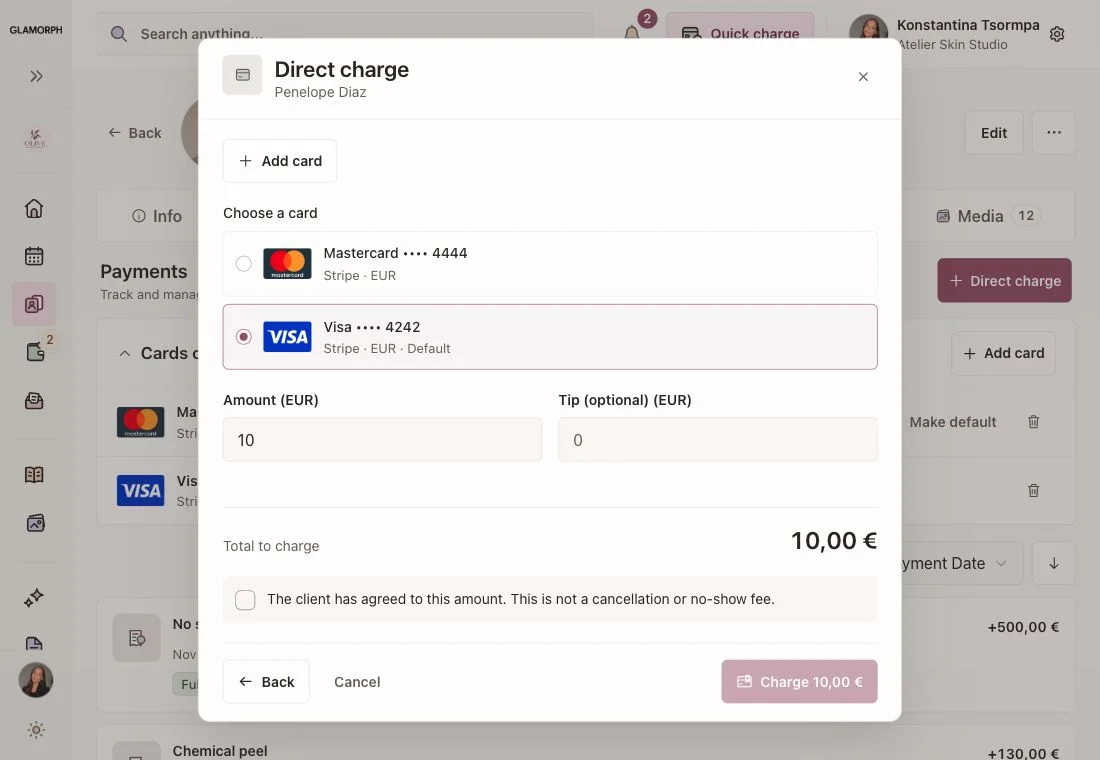
How do payments and refunds work?
Use an eligible connected payment method or record money received elsewhere. Provider availability depends on the business country, account and device. Package refunds and reasoned balance corrections retain an activity history. A refunded package cannot be used for new redemptions.