



Your clients
Add a client and keep their history, preferences and notes in one place.
Client ManagementRun bookings, appointments, client work and payments in one workspace. Work independently or with your team on iPhone, Android and web.

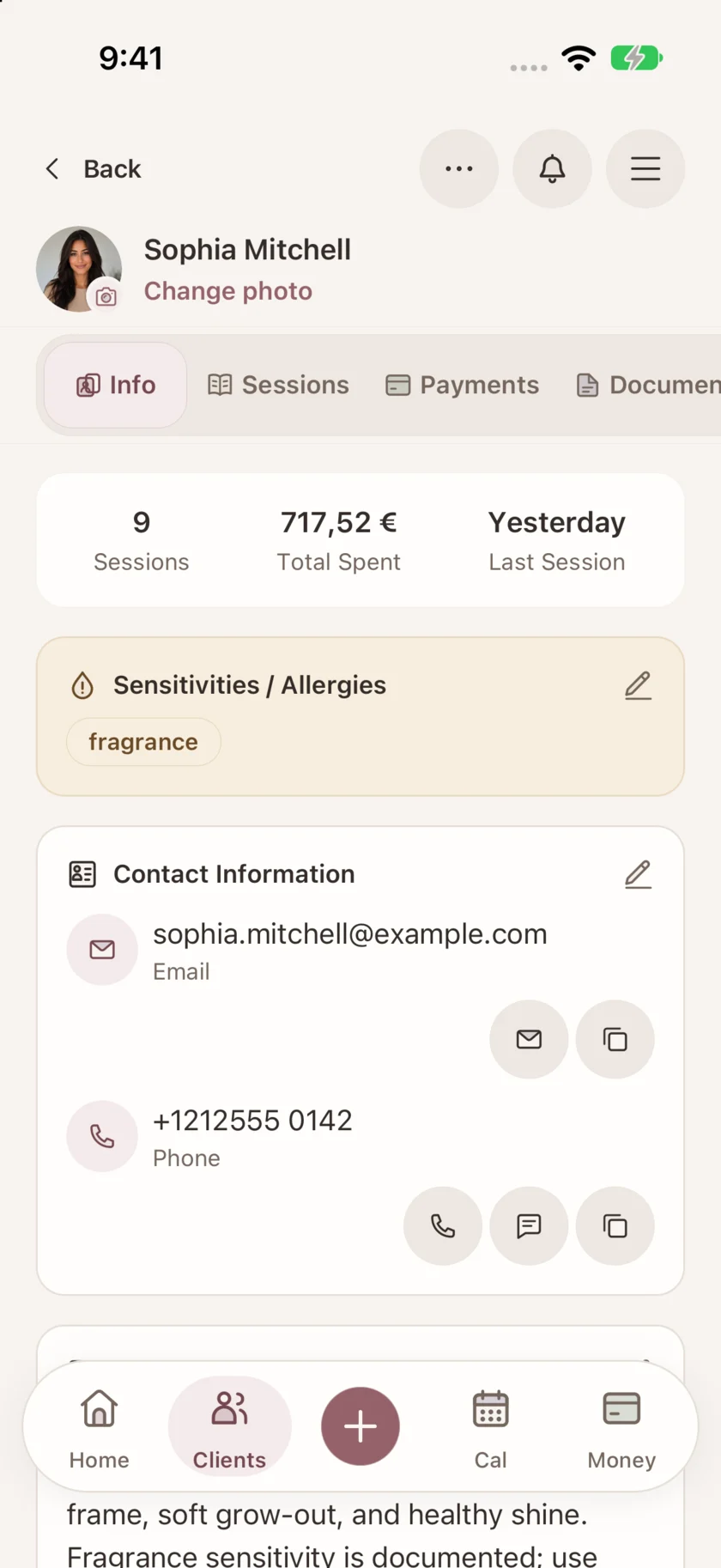
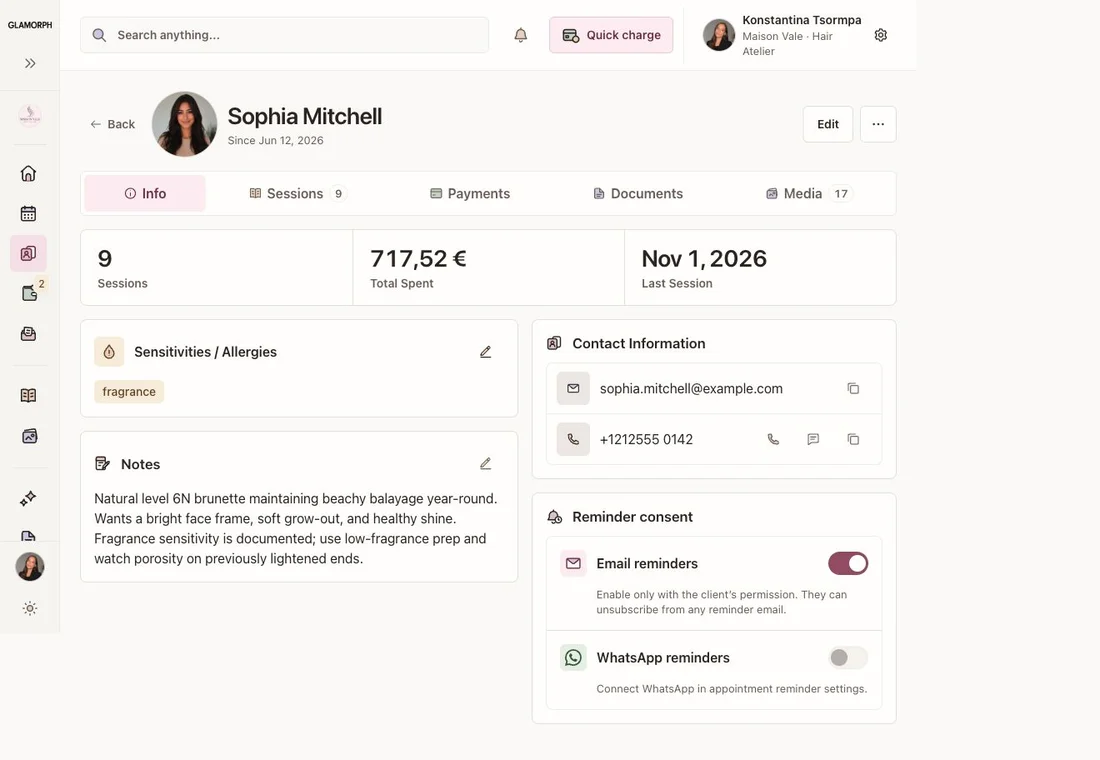
Keep client details, notes, photos and service history in one place. Documents, appointments and payments stay linked to the client, with access controlled by workspace roles. See who is due back for a fill, a colour refresh or another treatment, then book their next visit from the client list.

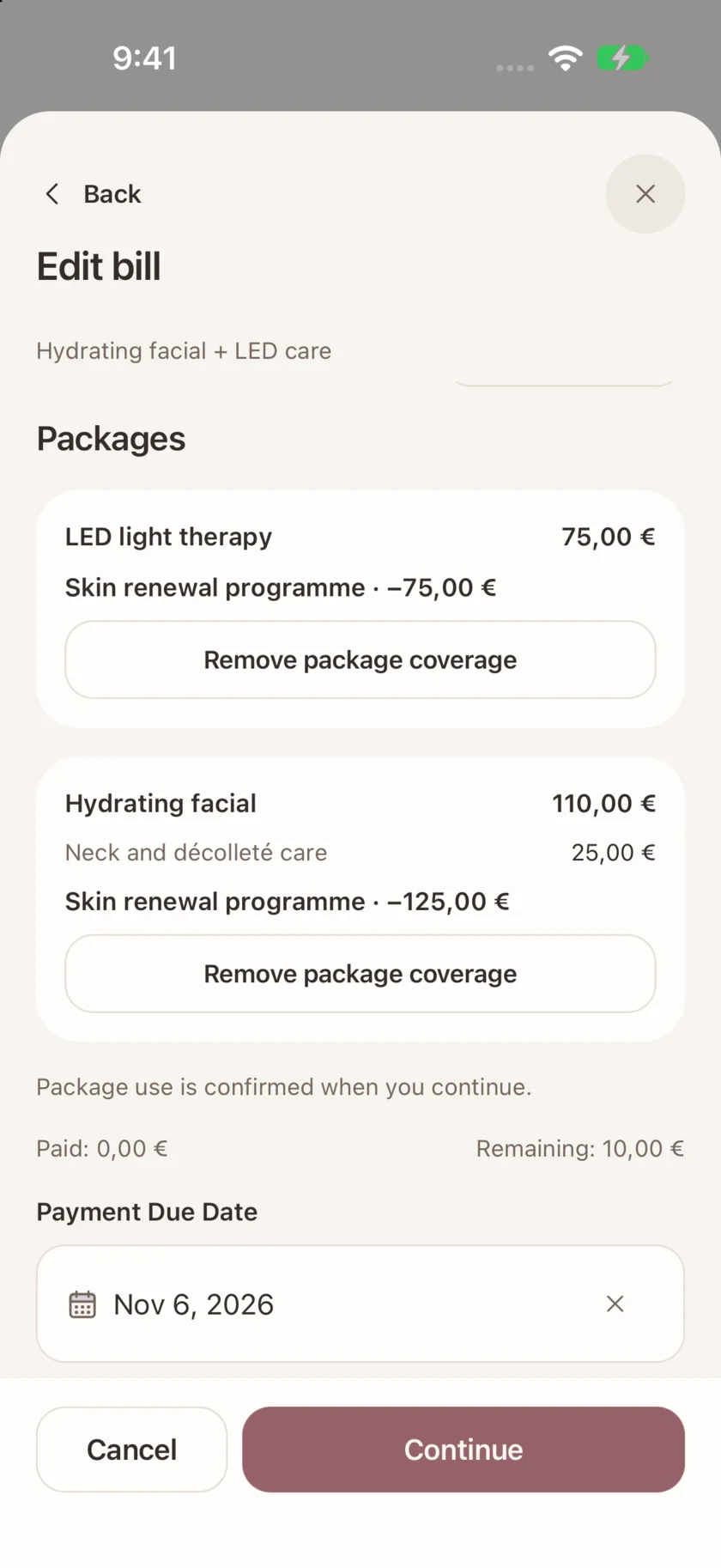
Offer a package from the client record or appointment bill. Track remaining visits and expiry, then apply eligible services at checkout. Review extras and collect only the uncovered balance.
Explore service packages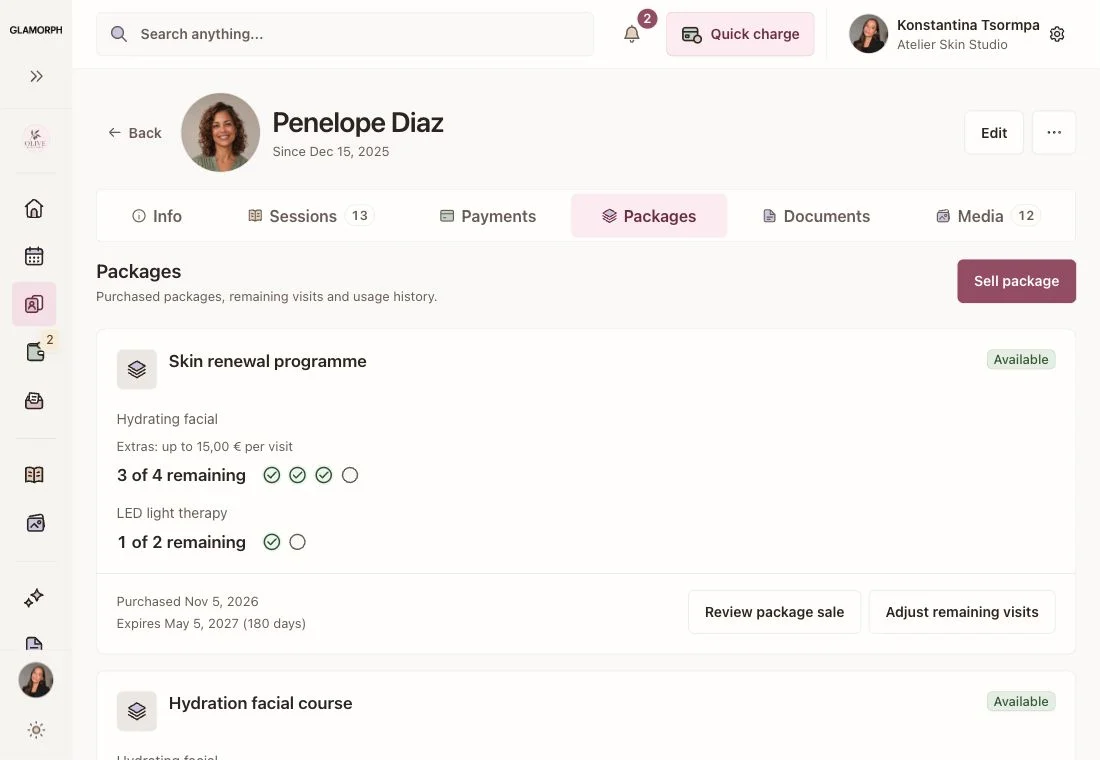
Let clients choose a service, professional and available time. Publish when you’re ready.
Explore online booking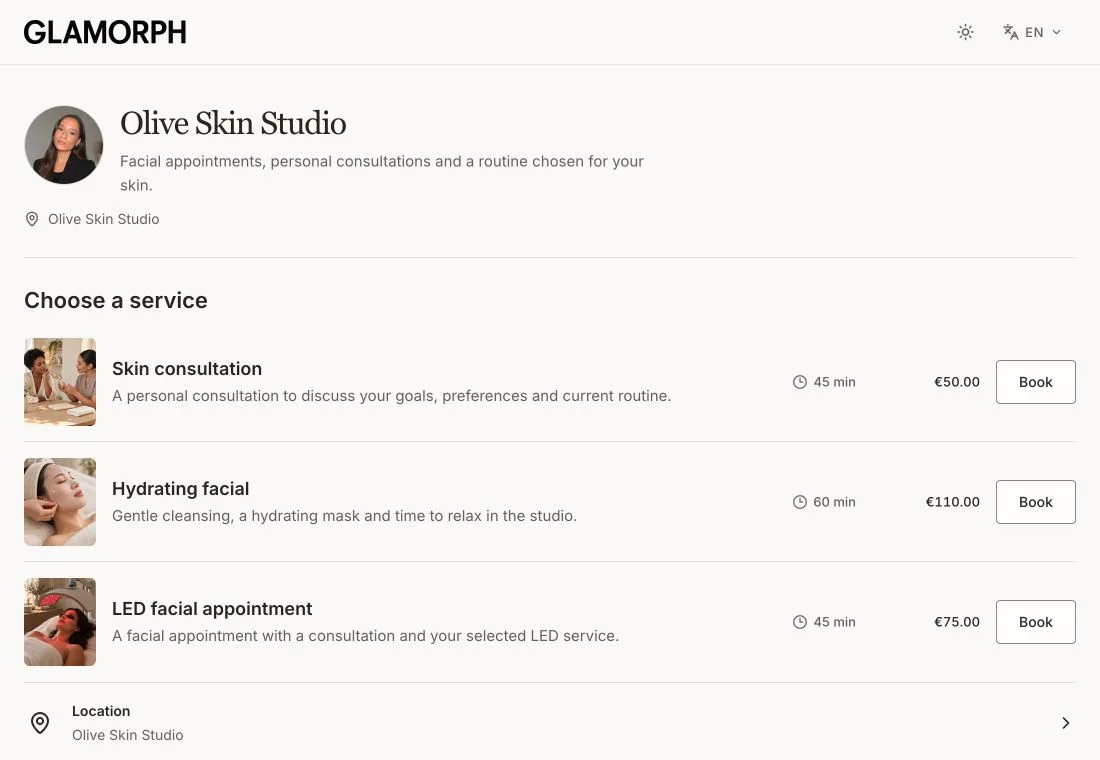
Collect deposits and balances through supported connections. Record payments received elsewhere and track expenses.
Explore payment methods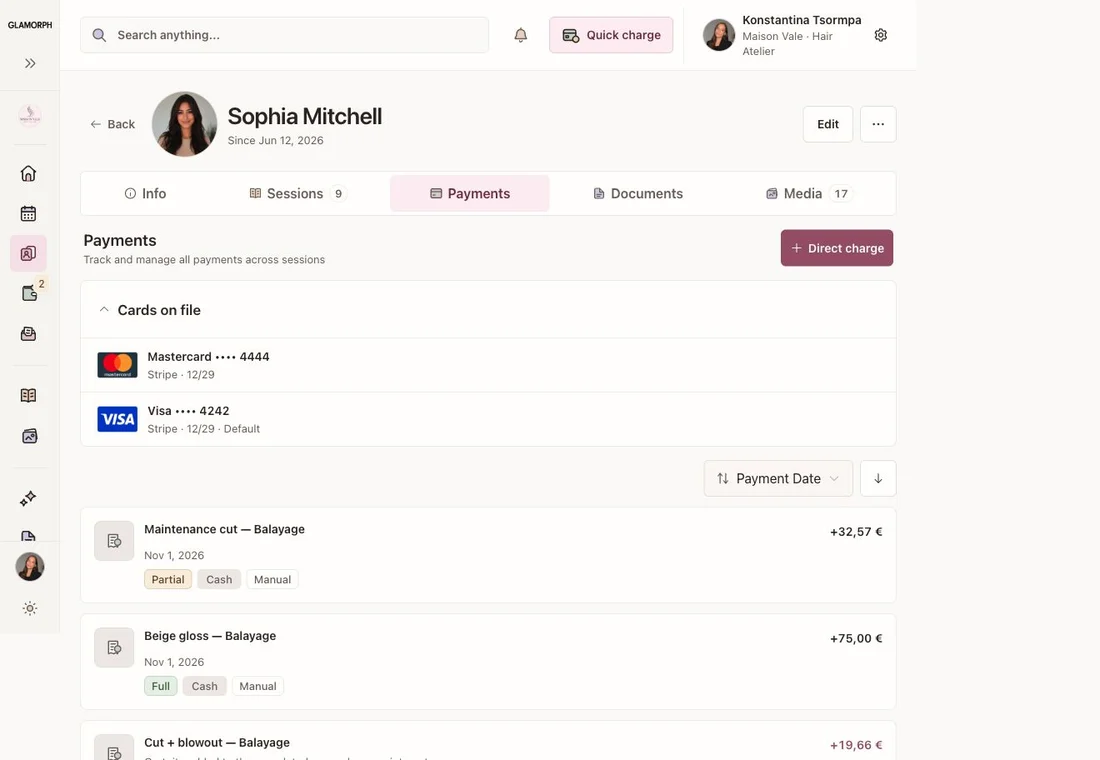
Methods depend on the provider, country, account and device. Processing fees apply.
The details behind your working day, together in Glamorph.
Notes, formulas and preferences, ready for the next visit.
Client ManagementConsultations, signatures and finalized PDFs with the client.
Client DocumentsSeparate logins, professional calendars and the right access.
Salon Team ManagementChoose where to begin. Add the rest when it helps.
Add a client and keep their history, preferences and notes in one place.
Client ManagementSet your services and availability. Publish when you’re ready to accept online bookings.
Online BookingInvite the people you work with and give each person the access they need.
Salon Team Management
Your clients, bookings and payments, together in the workspace you make your own.

Keep client care, calendars and payments connected, with access that fits each role.
Starting from€11.99per month
One active appointment calendar with working hours, buffers, breaks and time off
Add calendars for professionals who take bookings. Reception logins do not need a calendar.
Approximate web price. Store prices can vary. Payment-provider fees are separate.
The tools for your working day, together.
| Workflow | What you can do |
|---|---|
 Online Booking | Your booking page, services and live availability. |
 Appointment Calendar | Appointments, working hours, breaks and time off. |
 Client Management | Profiles, notes, formulas, photos and service history. |
 Client Documents | Consultation forms, signatures and finalized PDFs. |
| Service packages | Package sales, remaining visits and checkout coverage. |
 Appointment Reminders | Email, plus SMS and WhatsApp where available. |
 Payments | Track payments and expenses. Collect through eligible providers. |
 Salon Team Management | Separate logins, professional calendars and access roles. |
One active calendar is included. Provider and messaging fees may apply. Available payment methods depend on your business country and setup.
Explore all featuresGlamorph is for independent beauty professionals, salons, studios and small teams. It combines client management, appointments, documents and payments, with optional online booking. You can use it on your own or share a workspace with your team.
Keep contact details, preferences, reported sensitivities, service notes, formulas and photos together. Each client record also brings together appointment history, payment history and signed documents, so you can review previous work before the next visit.
Yes. Team members can have their own logins and appointment calendars in a shared workspace. Roles control access to their own or all calendars, client records, documents, financial information and team settings. You only need a calendar for people who take appointments.
No. You can add appointments yourself and use client records, documents and payments without a booking page. If you choose online booking, set your services, professionals, hours and booking rules, then preview and publish your page when you are ready.
Yes. Record payments received elsewhere, or connect an eligible Stripe, SumUp or Square account to collect deposits, balances and other client payments. Saved cards, terminals and Tap to Pay depend on the provider, merchant country, account and device. Payment collection is optional and has separate fees.
Use the web app on your laptop and the mobile apps on iPhone, iPad and Android. Your records sync when connected. Core client and session work remains available offline in the mobile apps. Online booking, payment collection, uploads and the web app require internet.
The web subscription reference price is €11.99 per month, including one active appointment calendar. Extra calendars and optional payment services are priced separately. Eligible accounts can receive a 14-day trial. Your App Store, Google Play or web checkout shows the final price, taxes and trial terms before you confirm.
Yes. You can request a copy of your data before deleting your account. Glamorph does not sell personal data. Access after a subscription ends and data retention follow the Privacy Policy. Cancel your subscription through the provider you used to purchase it.
Compare what four esthetician booking apps charge for one calendar and forms. See how to find a signed consent form when a facial client returns.
Read more
Compare nail booking apps for independent techs. See how Glamorph, Goldie and Fresha handle appointments, design photos and the next infill.
Read more
See what Glamorph, GlossGenius and Vagaro include for a solo artist. Compare booking, paperless consultations and how to find the last tint or lash map.
Read moreStart with a client record, organise your calendar or prepare your booking page. Keep the details of the service connected as your business grows.