
Booking & appointments
Your booking page and your team’s calendar, together. Set services, availability and rules that fit your business.

Online booking, client management, payments and your team. Explore the tools that connect your working day, from the first booking to the next visit.
What can you do with Glamorph?Your booking page and your team’s calendar, together. Set services, availability and rules that fit your business.
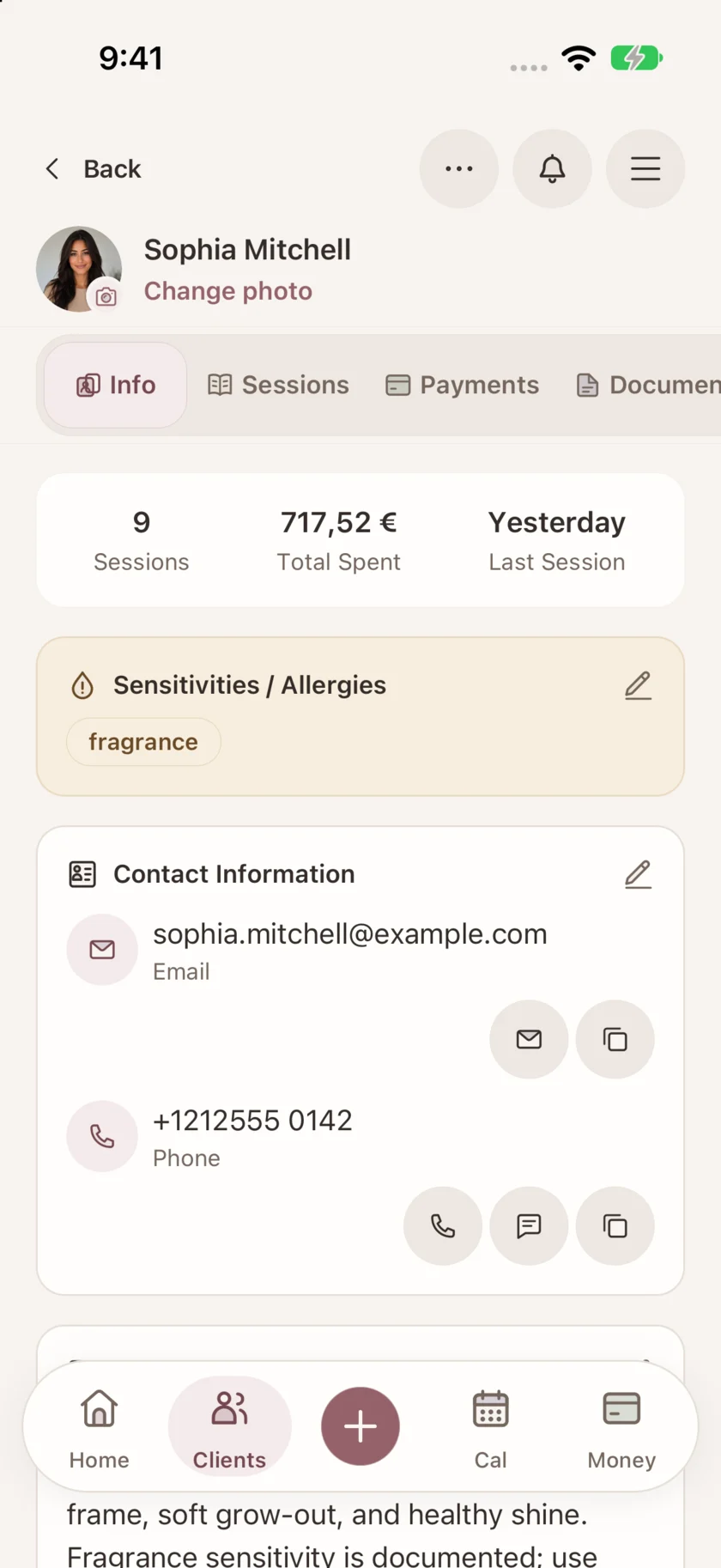
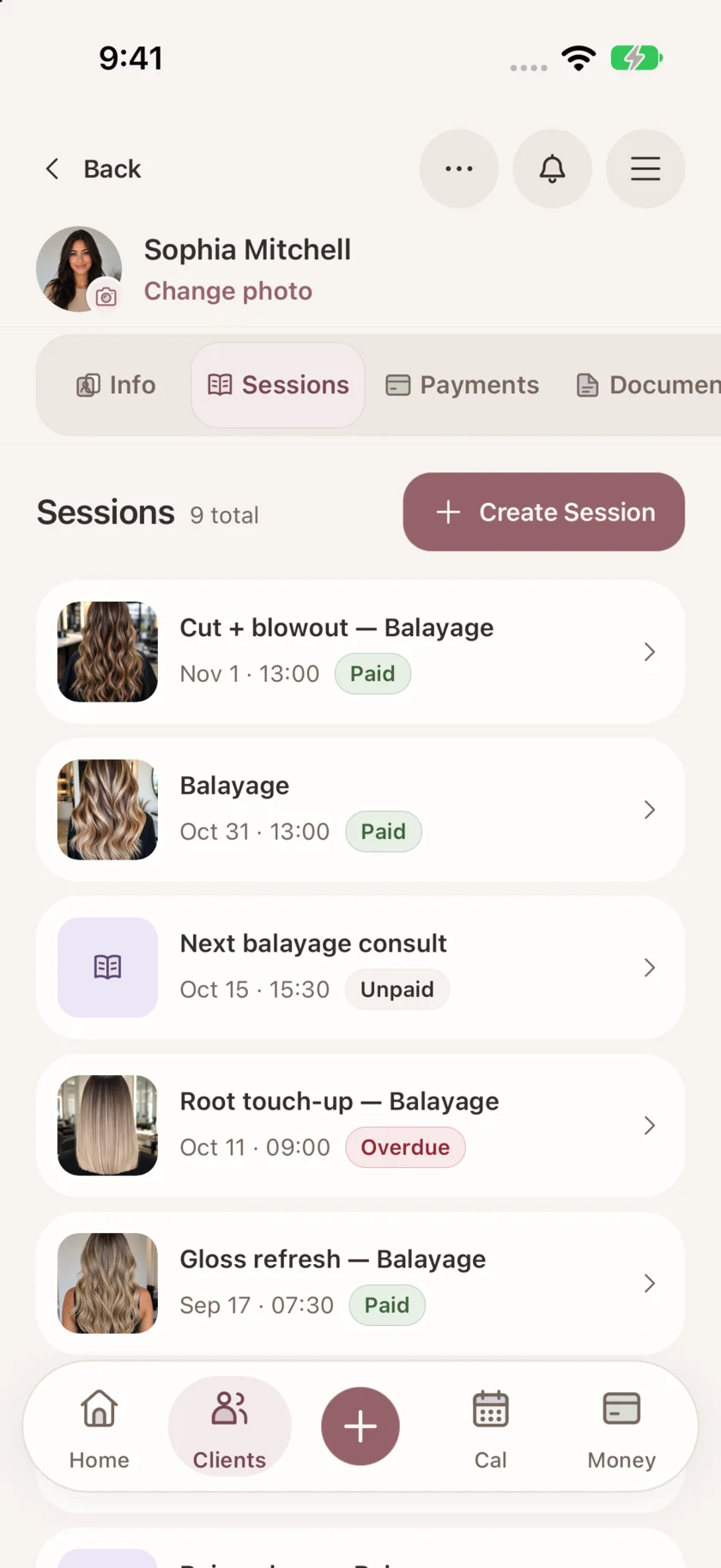
Keep each client’s preferences, formulas and treatment notes with their visits. See who is due back and arrange their next appointment.
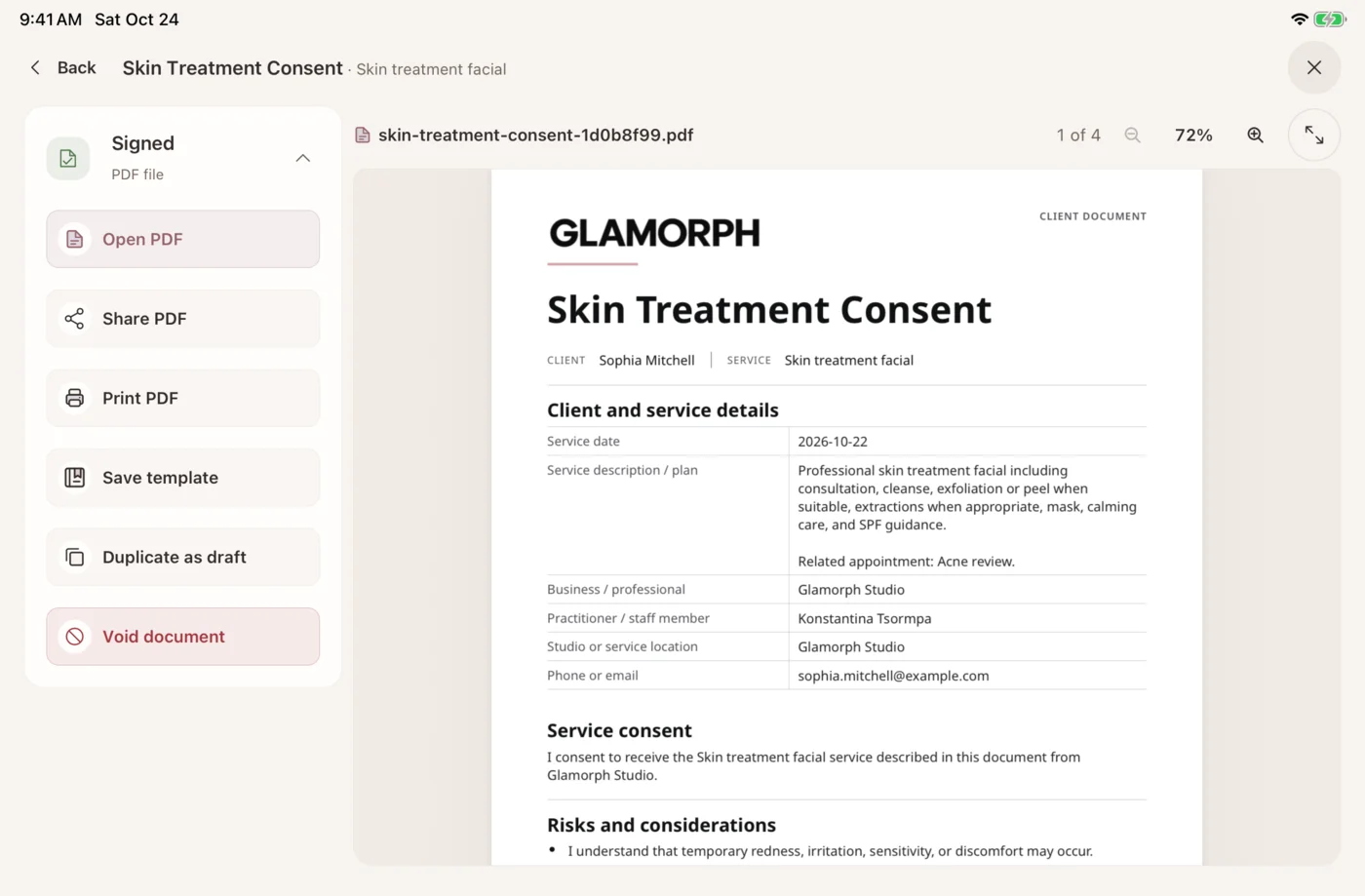
Prepare consultation and consent forms, collect signatures in person or remotely, and keep finalized PDFs with the client.
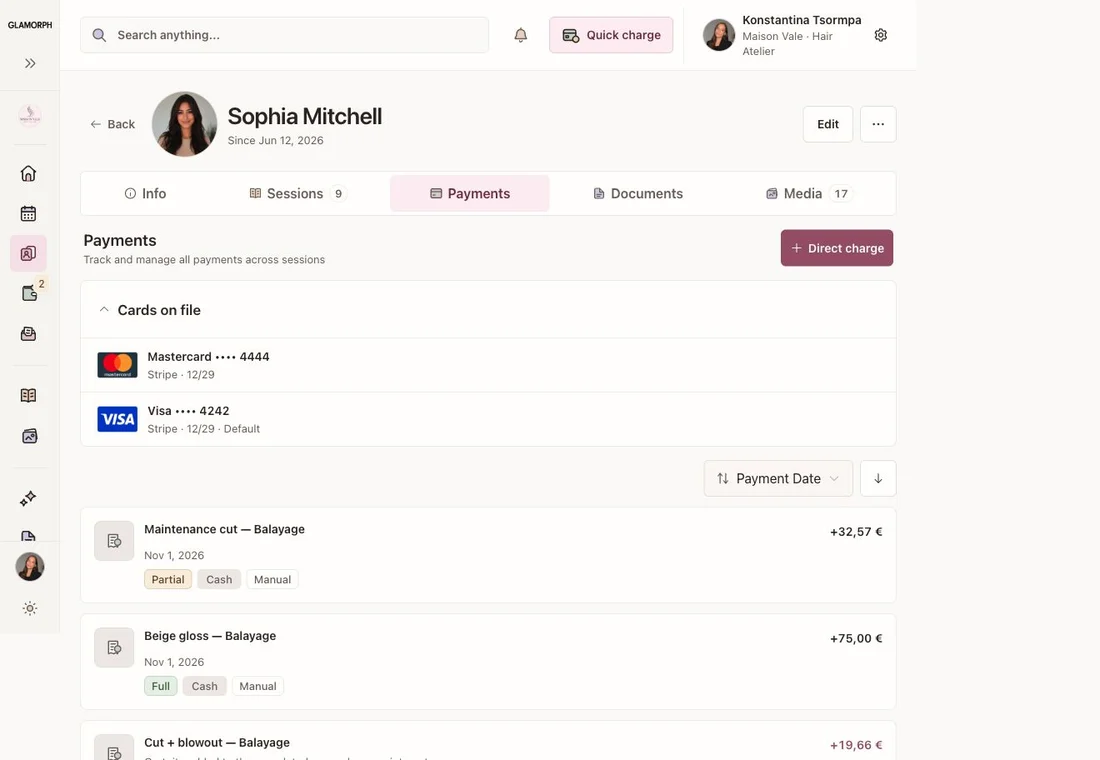
Collect deposits and balances through supported providers. Keep payments, outstanding amounts and business expenses in view.
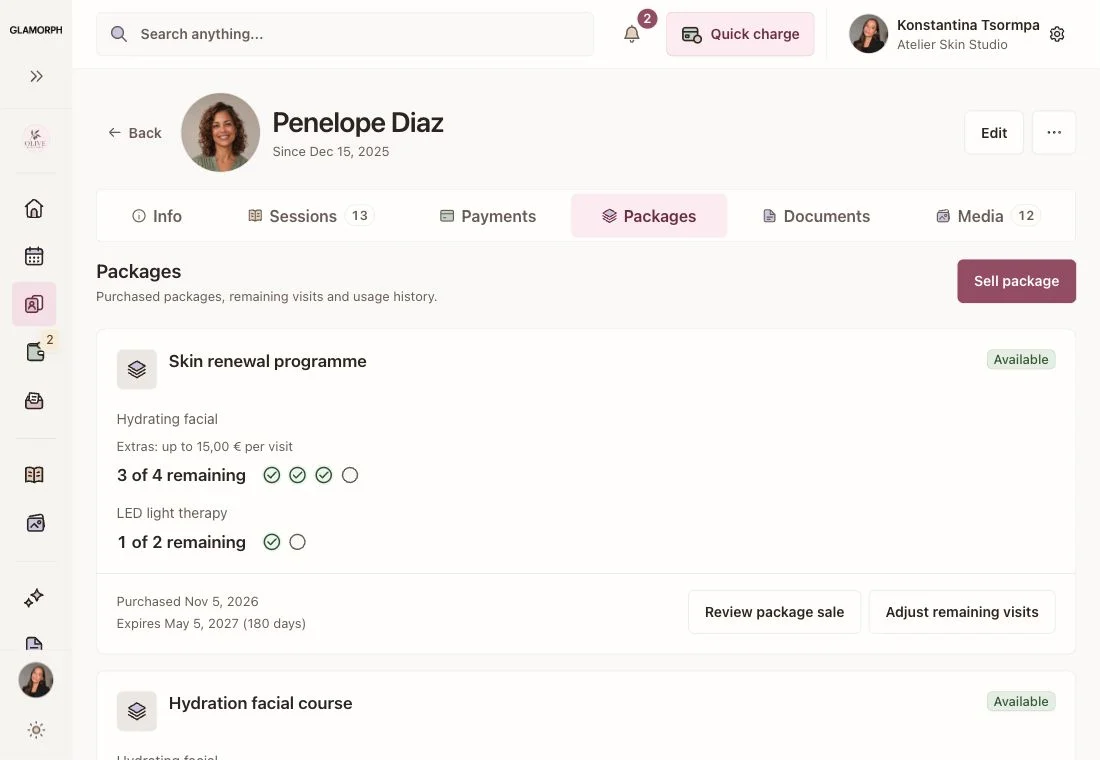
Glamorph lets salons and beauty studios sell prepaid treatment packages, track remaining visits and apply eligible sessions at checkout. Packages stay connected to client records, appointments and payments on iPhone, Android and web.
Give your team separate logins, professional calendars and role-based access to client work, documents and finances.

Automatic email reminders, plus SMS and WhatsApp where available. Messaging fees may apply.
Keep photos with the client and visit. Add tags, organise albums and share selected galleries.
Use the web app on your laptop and Glamorph on iPhone and Android. Core client work stays available offline on mobile.
The practical tools behind the screens, at a glance.
| Workflow | What you can do |
|---|---|
| Online Booking | Publish a branded booking page with services, prices and live availability. Choose instant confirmation or approval and let clients manage their booking. |
| Appointment Calendar | See online bookings and manual appointments together. Set working hours, buffers, breaks and time off for each professional. |
| Appointment Reminders | Automatic email reminders, plus SMS and WhatsApp where available. Messaging fees may apply. |
| Client Management | Keep contact details, preferences, sensitivities, formulas, dated sessions, photos and payment history in one client record. |
| Client Documents | Prepare consultations and consent forms, request in-person or remote signatures, and download or print finalized PDFs. No booking required. |
| Media Management | Attach photos to the right client and visit. Find them by tag, organise albums and share selected galleries. |
| Salon Team Management | Invite members with individual logins. Set professional calendars and control access to clients, documents, booking and financial information. |
| Service packages | Checkout checks eligible packages against the saved services. Select the visits to use and confirm. Included extras follow the purchased allowance, with only the uncovered amount left to pay. A fully covered visit does not create a second cash payment. |
| Payments | Collect through eligible Stripe, SumUp or Square connections and follow balances. Manual records remain separate from payment collection. Provider fees apply. |
| Expense Tracking | Record business expenses and review them alongside payment activity, with access controlled by role. |
| Web App · Offline Mode | Work across web, iPhone and Android. Core client work is offline-first on mobile and syncs when connected. Live booking and payment collection need internet. |
One account for your working day. Start with the tools you need and add the rest when useful.
Starting from€11.99per month
One active appointment calendar with working hours, buffers, breaks and time off
Add calendars for professionals who take bookings. Reception logins do not need a calendar.
Approximate web price. Store prices can vary. Payment-provider fees are separate.