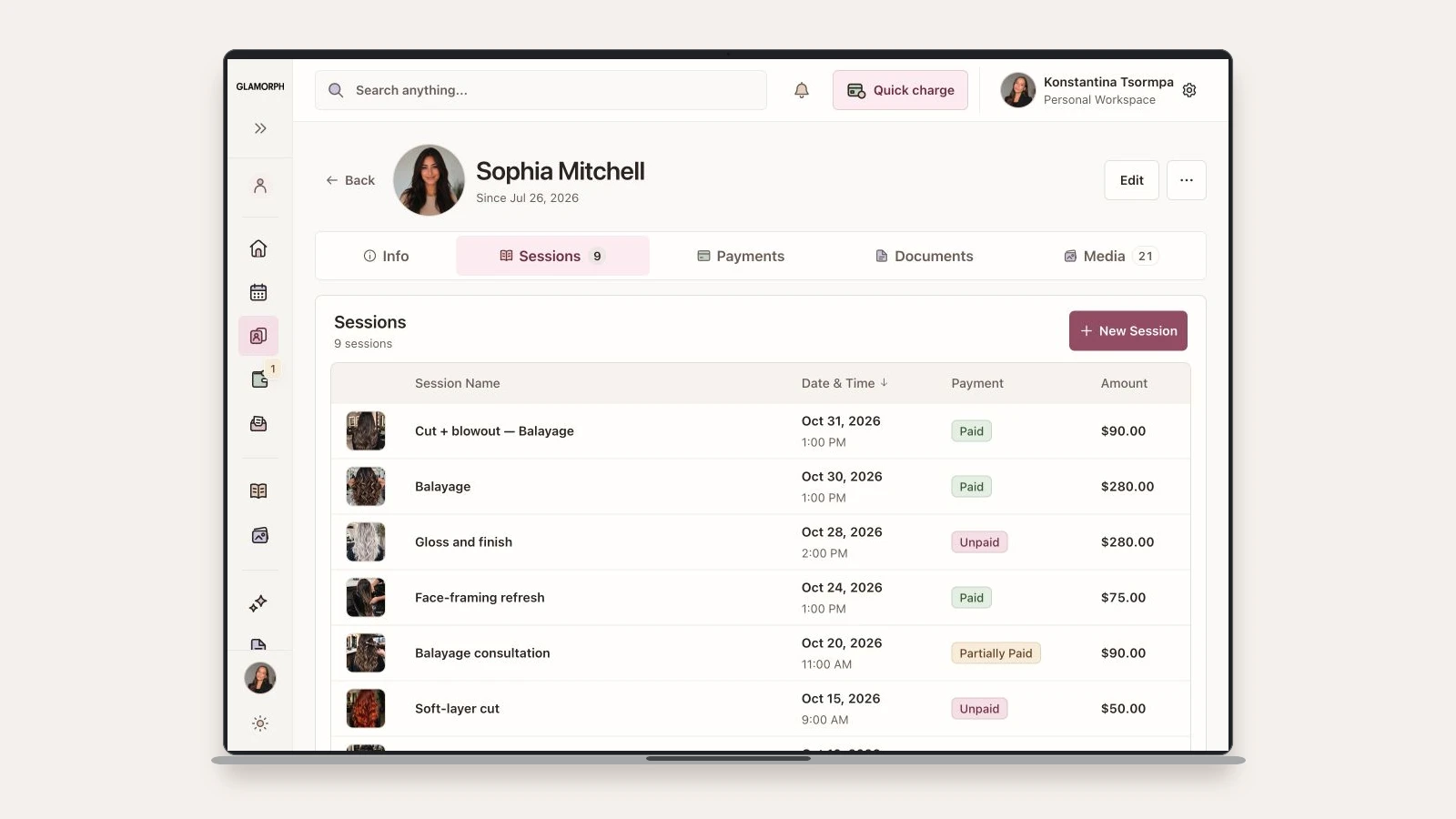
For a colour salon, the deciding question is often what the next stylist can see when a regular books a root touch-up. Glamorph keeps the previous formula and result photo with that visit. If you rely on a marketplace to bring in new clients, compare Booksy. If retail sales at the counter drive your choice, look at Square Appointments.
I’m Konstantina Tsormpa, a makeup artist and Glamorph’s founder. This guide demonstrates our software with a fictional salon. Competitor information comes from official pages reviewed on 31 October 2026.
Which hair salon software fits your salon?
| Software | A useful reason to consider it | Check before choosing |
|---|---|---|
 Glamorph | Booking, stylist calendars and the complete service record across phone and web | On the web, one calendar costs €11.99 per month and three cost €23.99 in total, before tax. Check payment eligibility and any stock or payroll requirements. |
 Booksy | Salon appointments and client management alongside a consumer marketplace | Your country’s subscription, extra-user charges and optional Boost terms |
 Square Appointments | Scheduling connected to Square’s payments, retail and POS ecosystem | Local plan features, hardware and processing costs |
Booksy’s US plans and UK plans use different prices and additional-user charges. Square’s feature overview includes booking, reminders and resource scheduling, with features depending on the plan. Verify the offer for your business country.
Glamorph’s hair salon software connects the appointment to the work done for that client. A colour formula, consultation PDF and payment stay useful at the next visit, whichever device you open.
For a series of gloss or maintenance appointments, Glamorph service packages retain the purchased services, expiry and remaining visits. Checkout checks eligibility against the saved bill. Select the covered service and collect only the uncovered balance, alongside the same client history.
What should a hairdresser booking system handle?
Book the right service and stylist
Set up a cut, a root refresh and a longer colour appointment as distinct services with suitable prices, durations and buffers. Give each professional their own working hours. Add lunch, time off and other unavailable periods before previewing the booking page.
In Glamorph, confirmed online bookings and appointments you enter yourself use the same professional calendar. Blocks configured to prevent booking remove online availability. A manually entered appointment remains your professional override.
Clients choose a service, professional and available time in their browser. They verify their email and receive confirmation, or wait for approval if that is your booking mode. They do not need to install Glamorph.
Keep the formula with the visit
A useful test is to open a returning colour client’s last appointment. Can you find the formula actually used, the result photo, their preferences and what changed since the previous visit?
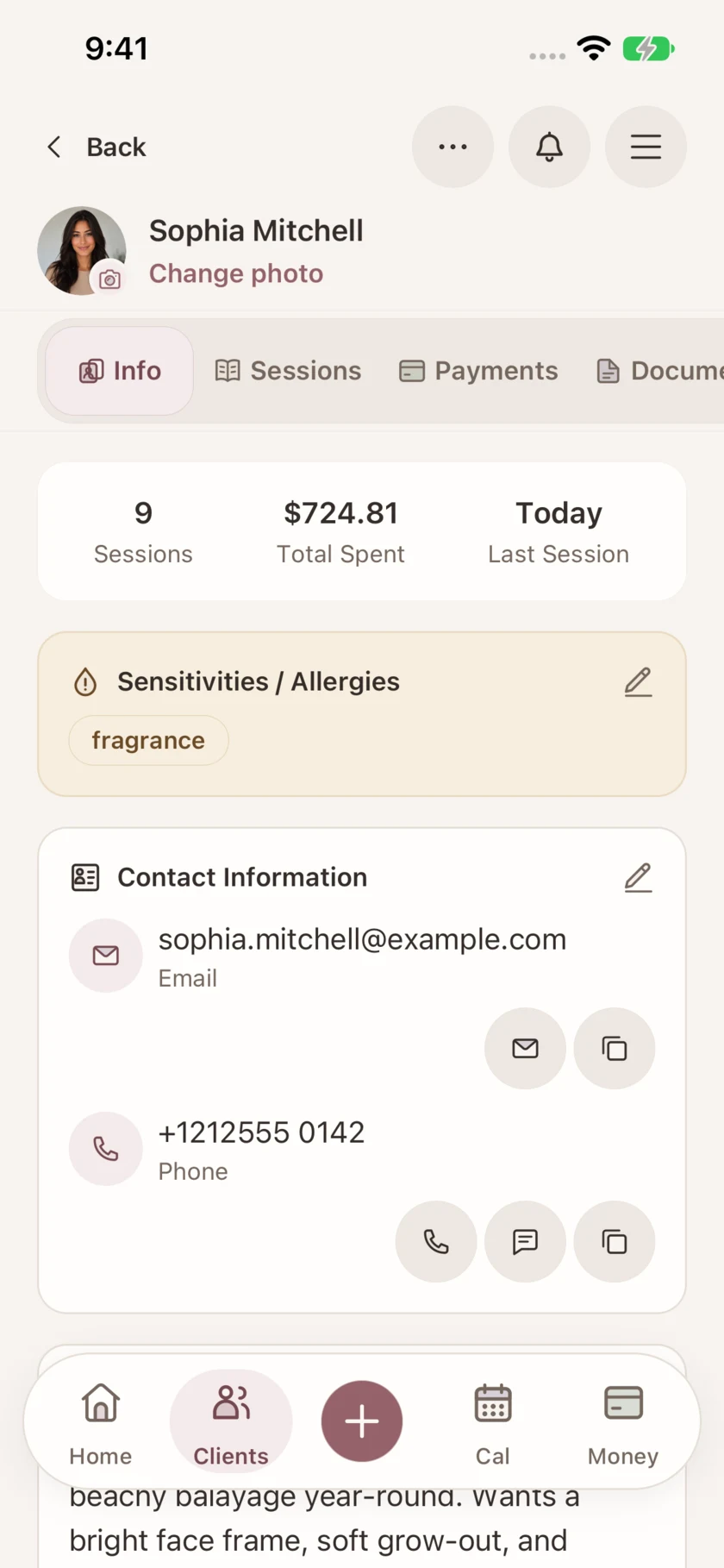
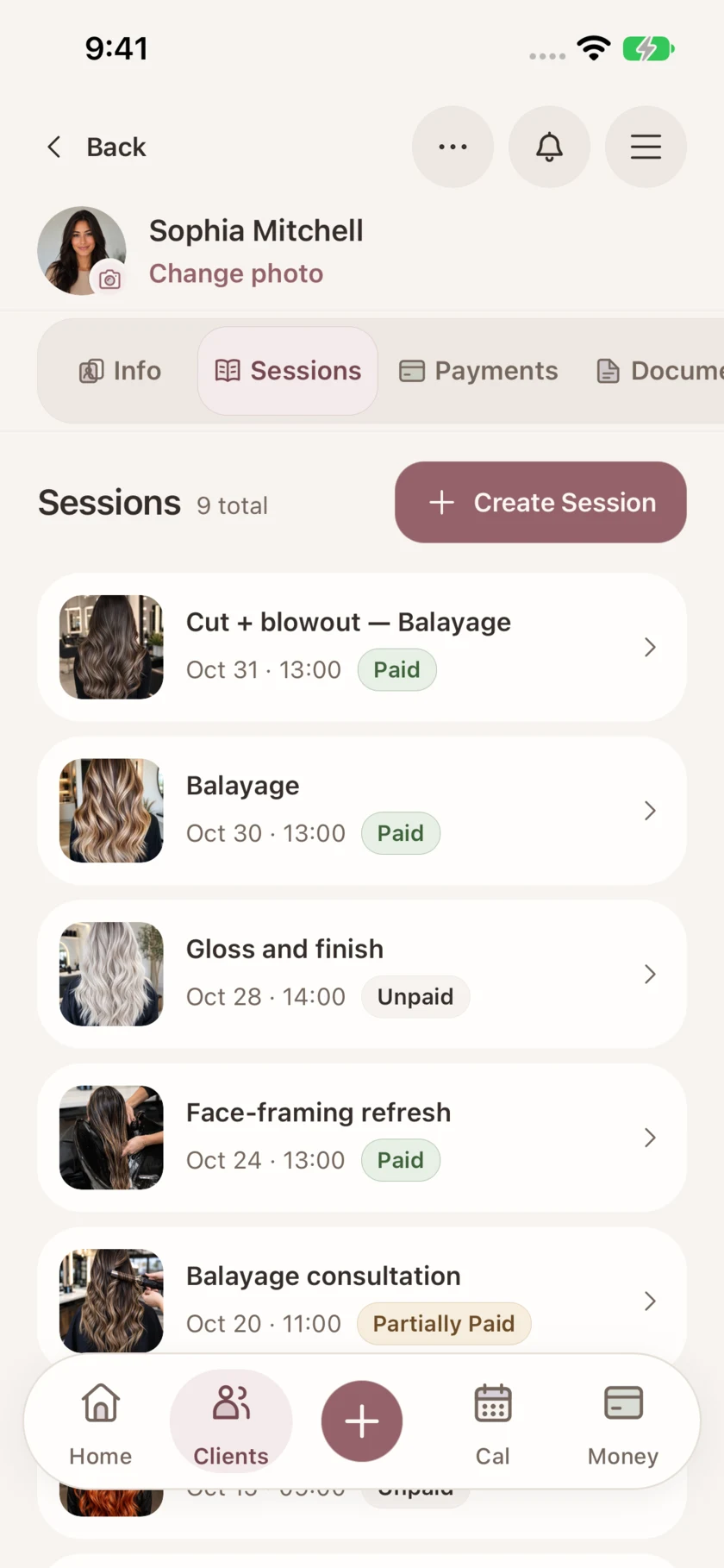
Native iPhone simulator captures. All client details, services and amounts are fictional demo data.
Glamorph’s client management keeps notes, products, formulas, photos and documents connected to the client and dated service. Record what you actually used, then review that history before the next appointment. The example is a software demonstration, not a colour-treatment recommendation.
What should hair salon software show on the salon computer?
At reception, try finding a colour client who is due for a root touch-up and has no next appointment. In Glamorph you can set a follow-up date after the colour service. When it comes due, reception can open the client’s last formula and photos, agree a time with her and book the right stylist. If she prefers to wait, snooze the follow-up. Saving the date sends no message.
What changes when you add another stylist?
Each team member signs in separately. Permissions control which calendars and clients they can access, alongside financial, document and booking access. Reception can help manage the day without every person receiving unrestricted access to every record.
The base subscription includes one active appointment calendar. Additional calendar capacity follows the professionals who take appointments. A separate member login does not by itself require another paid calendar. Check your configuration on the pricing page.
For a useful trial, book two professionals at overlapping times, block one person’s break and open the workspace as a restricted team member. That tests the salon you operate rather than an empty demonstration diary.
How should US and UK salons compare costs?
Compare the same number of professionals and the same billing period. Then include required messaging, hardware and payment charges.
For example, Booksy’s published monthly base is $29.99 plus tax in the US, with $20 per additional user. In the UK it is £40 plus VAT, with £5 per additional user. A three-person salon therefore has a different cost calculation in each market. Optional Boost and payment processing have separate terms.
Glamorph can collect eligible deposits and balances through supported Stripe, SumUp or Square connections. Availability depends on your merchant country, connected account and payment method. Recording a cash payment is separate from charging a card.
If your salon requires inventory, payroll, fiscal POS or automatic allocation of rooms and equipment, include those requirements in the decision. Glamorph covers the connected booking, client, payment and team workflow, but does not replace those systems.
Questions before moving your salon
Can I work from a phone as well as the salon computer?
Yes. Glamorph runs on iPhone, Android and web. Core client work supports offline use on mobile. Live online availability and provider-backed payments require a connection.
Can I bring existing clients into Glamorph?
You can add clients manually or use the supported CSV preview and approval flow for compatible client data. Check your export before moving. A client CSV does not automatically transfer every appointment, photo or document from another system.
Does Glamorph sync directly with Google Calendar?
No. Client calendar export is available, but it is not direct two-way Google Calendar synchronization. Use Glamorph’s professional schedule and blocking controls for its online availability.
Try one complete salon visit
Create a client and record a service, or add your services and hours and preview your online booking page. Follow one appointment through the service record and payment. Publish the booking page only when you are ready to accept clients, and invite your team when shared access is useful.
Written by

Professional makeup artist and founder of Glamorph
Makeup artist and Glamorph founder with 5+ years of experience. Working closely with professionals across the beauty industry, she writes about client management, booking and everyday salon workflows.