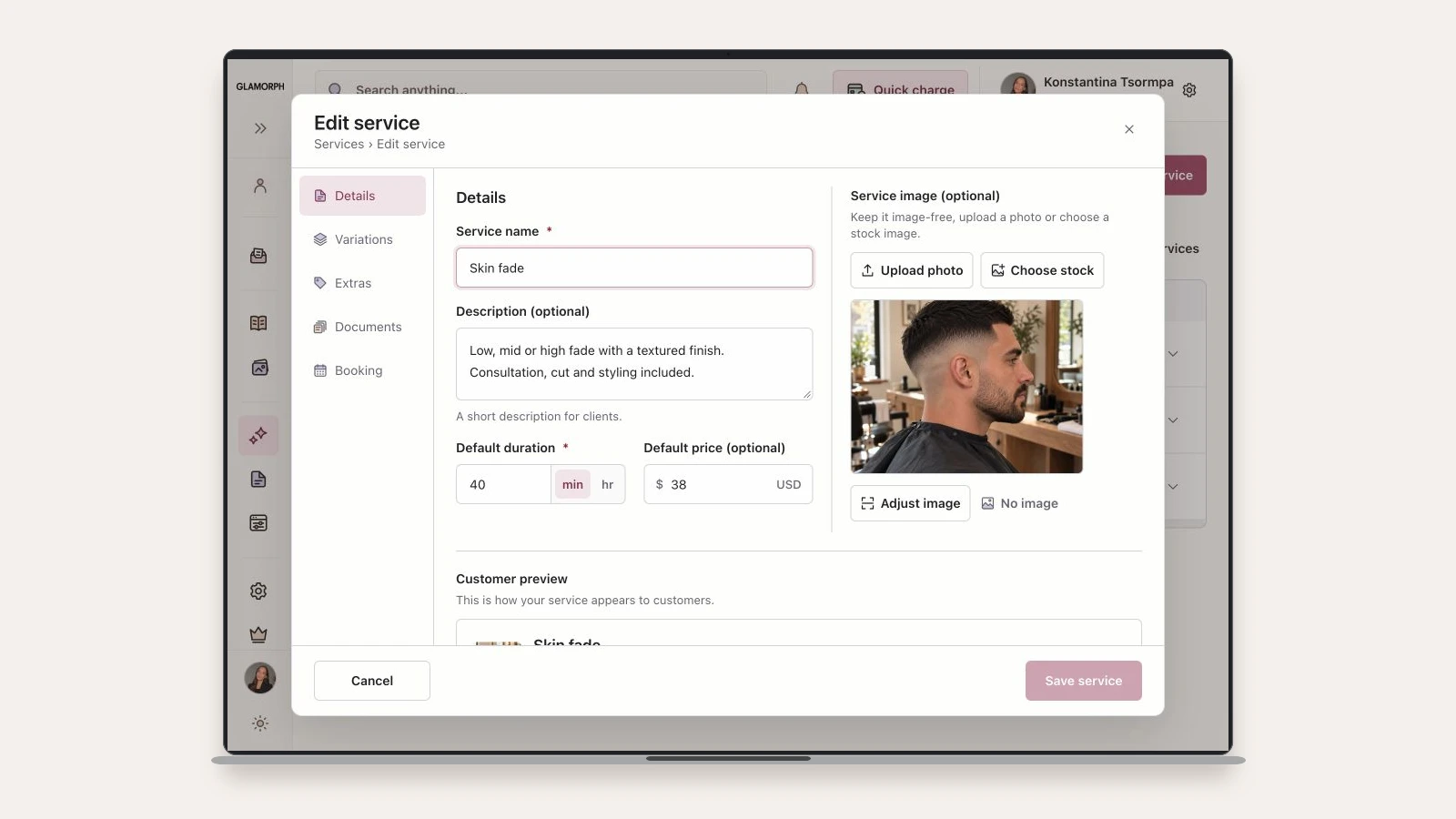
Count the barbers who take appointments. A solo barber needs one calendar. A shop with three barbers needs three schedules and a way for each regular to choose their barber. Glamorph connects those bookings to the client’s last cut, photos and payment. Booksy also offers marketplace discovery, Square Appointments pairs scheduling with POS, and Goldie offers a booking website and reminders.
Which booking app fits your barber business?
| App | Worth considering for | Check before signing up |
|---|---|---|
 Glamorph | Booked services, individual calendars, detailed client history and payment collection | Required calendar capacity and country-supported payment methods |
 Booksy | Booking and client management with marketplace discovery | Local user charges, optional Boost and payment terms |
 Square Appointments | Appointments alongside retail, payments and POS hardware | The local plan and equipment your shop needs |
 Goldie | A booking website, appointment management and reminder options | Appointment limits and the plan needed for automated messages and team features |
For the features listed above, see Square Appointments and Goldie’s plans.
What does a scheduling app cost for one barber or three?
| Monthly subscription | Solo barber | Three barbers taking appointments |
|---|---|---|
| Glamorph web | €11.99 for one calendar | €23.99 total for three calendars |
| Booksy US | $29.99 | $69.99 including two additional users at $20 each |
| Booksy UK | £40 | £50 including two additional users at £5 each |
Subscription prices checked November 20, 2026. Booksy lists US prices before tax and UK prices before VAT. With Glamorph’s calendar plans, a receptionist who manages the three barbers’ appointments can have a separate login without adding a fourth calendar. The web checkout or app store shows your final subscription price.
If regulars book from a link you share, compare the subscription, payment processing and any messaging charges. If you want a marketplace to bring new clients, check the acquisition fee too. For example, on Booksy US, a qualifying $50 first visit through optional Boost adds a one-time $15 commission.
For prepaid cuts or beard-maintenance visits, Glamorph service packages keep the purchased services, expiry and remaining visits with the client. At checkout, select the eligible visit and review any uncovered extras. A package-covered amount is not recorded as new cash.
Can clients book the right service without messaging you?
Create separate bookable services for a skin fade, a scissor cut and a beard appointment. Set their actual durations, prices and any buffer. A combined haircut and beard service may need a different time slot from either service alone.
With Glamorph online booking, clients choose the service, professional and available time on your published page. They use a browser and verify their email. No customer app installation is required.
You control working hours, breaks and time off. Confirmed bookings enter the same calendar as appointments you arrange yourself. Configure unavailable blocks to prevent online bookings, while retaining the professional’s ability to enter a manual appointment.
What should you see when a regular comes back?
The last service should tell you what the client asked for and what you did. Keep their preferred length, finish, relevant sensitivities and authorized reference photos with the dated appointment. These are client-specific records, not generic haircut instructions.
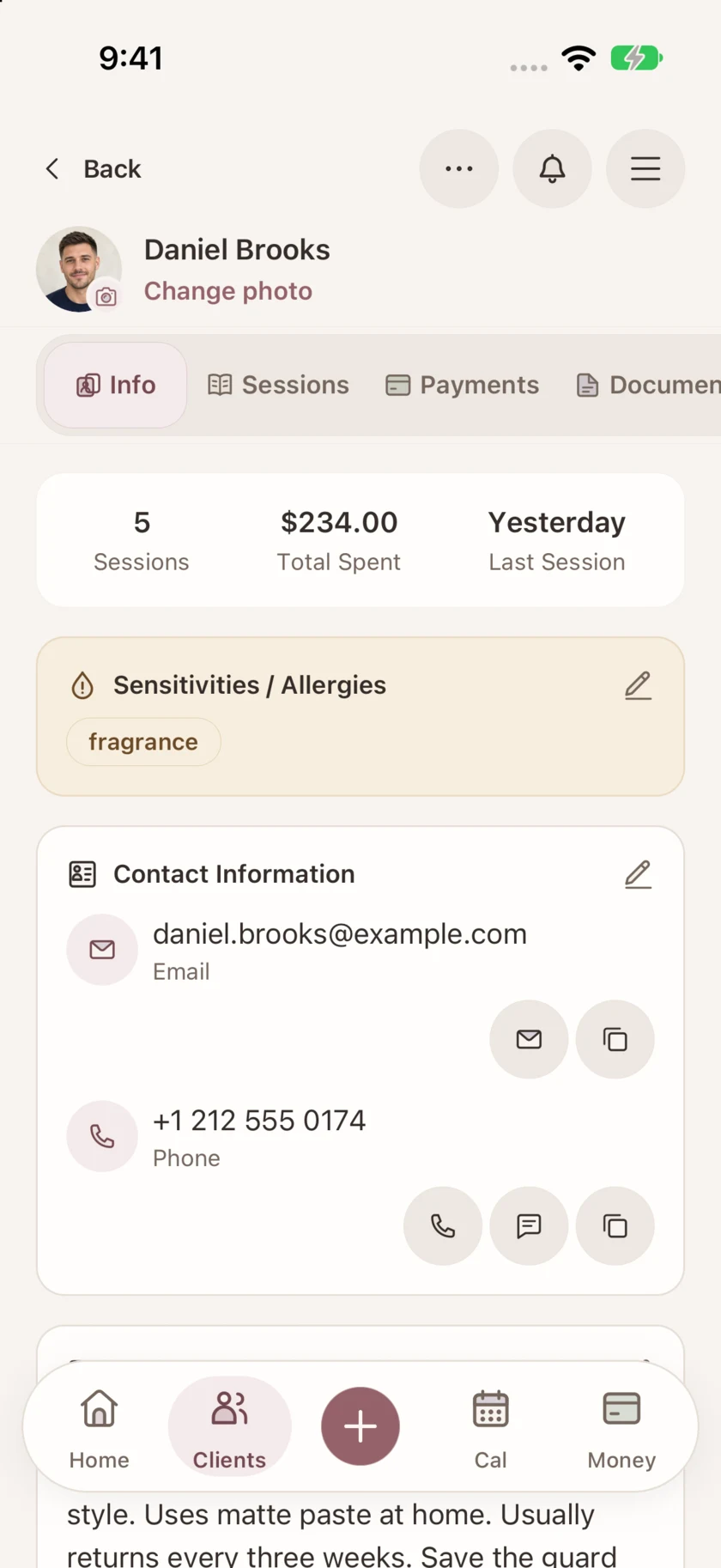
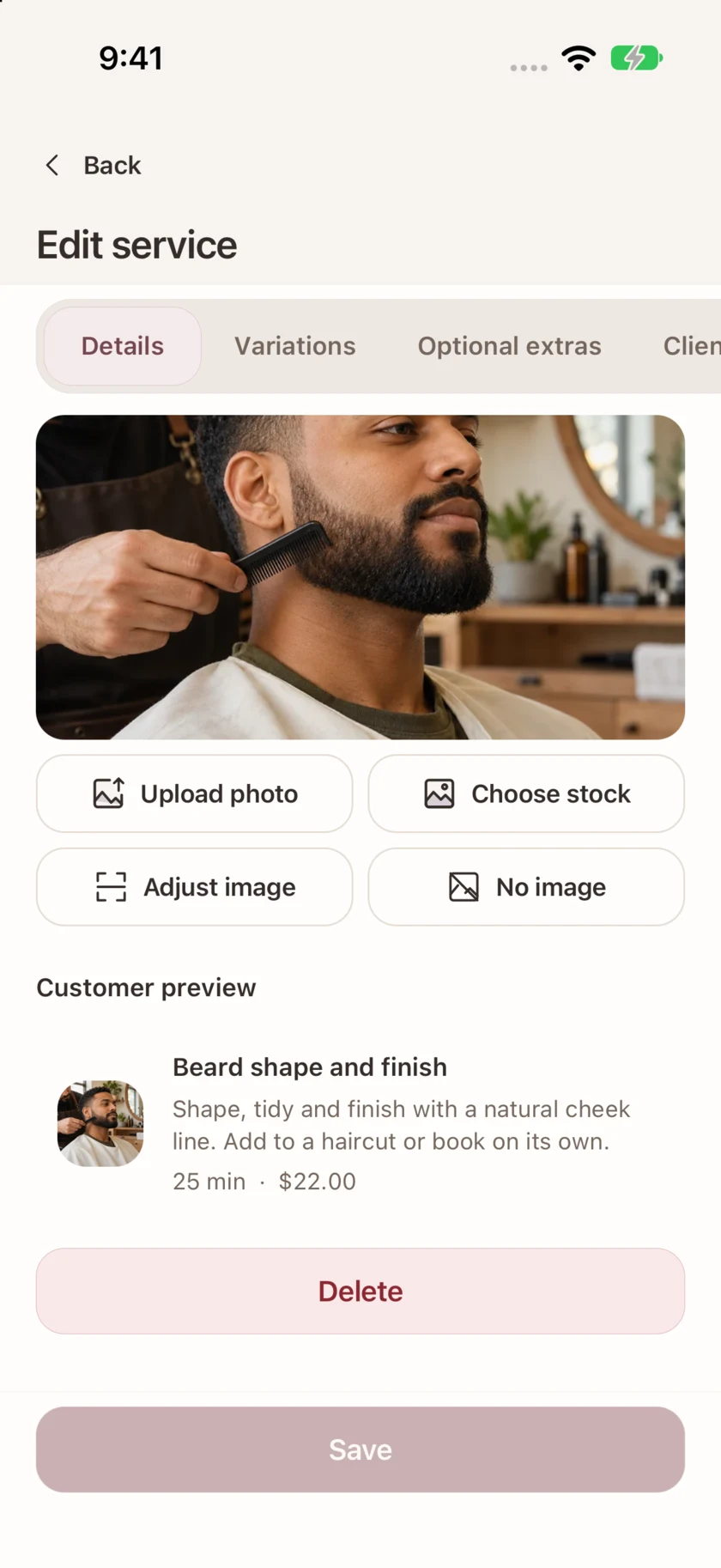
A returning client’s record and a beard-service preview in the native iPhone app. Records and service imagery are fictional demonstrations, not real client outcomes.
You can review the previous visit from your phone before the client sits down, add today’s notes and keep the payment alongside the work. A shared shop can continue the record from the web app without passing around one login.
How does it work with several barbers?
Each professional has a calendar and schedule. Team workspaces provide separate accounts and permissions for calendar, client and financial access. Decide who can see only their own work and who manages the whole shop.
Use the calendar to check a realistic day: two barbers with different hours, a lunch break, short beard appointments and longer combined services. Do not judge the system from an empty week.
If your shop relies on a walk-in queue, booth-rent accounting, payroll or automatic chair allocation, those are separate buying requirements. Glamorph handles appointment-led operations but does not provide those specialist systems. You can still enter an appointment manually when a walk-in takes an available slot.
Questions before choosing a barber booking app
Can I collect a deposit for a longer service?
Yes, with an eligible Glamorph payment connection and supported booking payment rule. You can require a fixed deposit, percentage or full payment. Provider, account and merchant-country eligibility determine the available methods.
Will it remind clients about appointments?
Glamorph supports email, SMS and WhatsApp appointment reminders with separate settings and readiness requirements. SMS uses messaging credits. WhatsApp needs a connected business number, approved message and client permission. Set up the channels you actually want to use.
Can the same barber work from a phone and a computer?
Yes. Glamorph supports iPhone, Android and web. Core client work remains available offline on mobile, while live booking and payment collection need a connection.
Start with your actual services and working hours. Preview the booking page, create a fictional returning client and record one appointment. That gives you a useful test of the software before you publish the page for customers.
Written by
Professional makeup artist and founder of Glamorph
Makeup artist and Glamorph founder with 5+ years of experience. Working closely with professionals across the beauty industry, she writes about client management, booking and everyday salon workflows.